


Bulk document scanning has become a critical step for businesses moving away from paper-based operations. Physical archives slow down workflows, increase storage costs, and create unnecessary risk when handling sensitive information.
Digitising these records allows organisations to access information instantly, improve compliance, and build a more efficient operational structure.
What Is Bulk Document Scanning
Bulk document scanning is the process of converting large volumes of paper records into digital files using high-speed scanners and OCR technology.
This is not simple scanning. It is a structured workflow designed to handle entire archives. Documents are prepared, scanned in batches, converted into searchable text, and stored in organised digital systems.
The result is a centralised archive where documents can be accessed within seconds instead of hours.
Why Businesses Are Moving Away from Paper

Paper systems create friction at every level. Teams spend time searching for files, offices allocate space for storage instead of operations, and managing sensitive documents becomes harder over time.
Digital systems remove these barriers. Files are searchable, shareable, and securely stored. This shift is especially important for businesses dealing with large volumes of records.
Key Benefits of Bulk Document Scanning
Faster Document Retrieval

Once documents are digitised, they become fully searchable using keywords. This eliminates manual retrieval and significantly reduces time spent on administrative work.
Reduced Storage Costs
Physical storage is expensive and ongoing. Filing cabinets, archive rooms, and off-site storage all add cost without adding value.
Digitisation allows businesses to reduce or completely eliminate these expenses.
Improved Security and Compliance
Digital document systems allow better control over access and usage. Permissions can be set by role, and activity can be tracked through audit logs.
This becomes even more effective when combined with secure document shredding to safely dispose of physical records that are no longer required.
Business Continuity and Risk Reduction
Paper documents are vulnerable to fire, water damage, and loss. Digital files can be backed up and stored securely across multiple locations, ensuring continuity in case of disruption.
Better Workflow Efficiency
Digitised records can integrate with internal systems, allowing faster approvals, easier collaboration, and reduced manual data entry.
How Businesses Digitise Paper Archives
Step 1: Document Audit and Planning

The first step is understanding what needs to be digitised. Businesses review document types, volume, and relevance.
At this stage, it is important to align with document retention guidelines to determine which records should be kept, digitised, or securely destroyed.
Step 2: Preparation and Organisation
Documents are prepared for scanning by removing staples, flattening pages, and grouping files into logical categories.
Good preparation improves accuracy and prevents delays during scanning.
Step 3: High-Speed Scanning
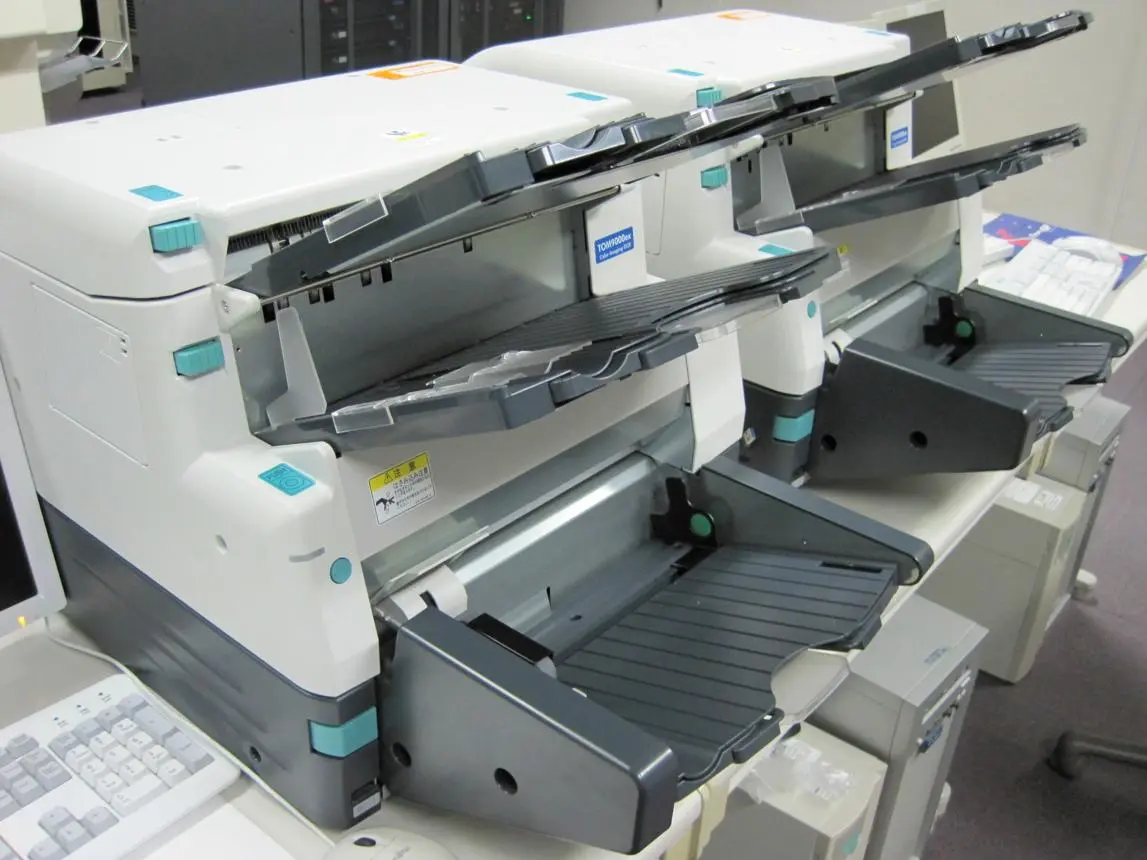
High-capacity scanners are used to process thousands of pages efficiently. Files are converted into consistent formats such as PDF, ensuring long-term usability.
Step 4: OCR and Indexing
OCR converts scanned images into searchable text. Documents are then tagged with metadata such as names, dates, or reference numbers.
This step is what makes the archive functional rather than just digital storage.
Step 5: Quality Control
Each batch is checked to ensure no pages are missing and all files are correctly indexed.
Skipping this step often leads to unusable archives.
Step 6: Storage and Integration

Digitised files are stored in secure systems and often integrated with broader records management services to ensure long-term organisation, access control, and compliance.
In-House vs Outsourced Scanning
Businesses can either manage scanning internally or outsource it.
In-house scanning requires equipment, trained staff, and time. It offers control but can be inefficient for large-scale projects.
Outsourcing provides access to specialised equipment and faster processing. For most businesses handling large archives, this is the more practical option.
Common Mistakes to Avoid
Many digitisation projects fail due to poor planning. The most common issues include:
- No clear file structure
- Low-quality scanning output
- Lack of proper indexing
- Ignoring compliance requirements
Avoiding these ensures the system remains usable long term.
Best Practices for Long-Term Success
To maintain an effective digital archive:
- Use consistent file naming conventions
- Apply structured metadata to all documents
- Control access based on roles
- Maintain regular backups
- Align processes with compliance requirements
These steps ensure the archive remains scalable and efficient.
Who Benefits Most from Bulk Document Scanning
Bulk document scanning is widely used across industries:
- Legal firms managing case files
- Healthcare providers handling patient records
- Financial institutions with strict regulations
- Government organisations maintaining archives
- SMEs improving operational efficiency
Any business with large volumes of paperwork will benefit from digitisation.
When Should You Start Digitising
If your business struggles with document retrieval, rising storage costs, or compliance concerns, it is time to act.
Delaying digitisation increases complexity and cost over time. Starting early allows for a smoother transition and better long-term results.
Conclusion
Bulk document scanning is not just about reducing paper. It changes how businesses manage information.
A well-structured digitisation process improves access, strengthens security, and reduces operational costs. When combined with proper document management practices, it creates a system that supports growth and efficiency.
For businesses aiming to modernise, digitising paper archives is a necessary step, not an optional upgrade.